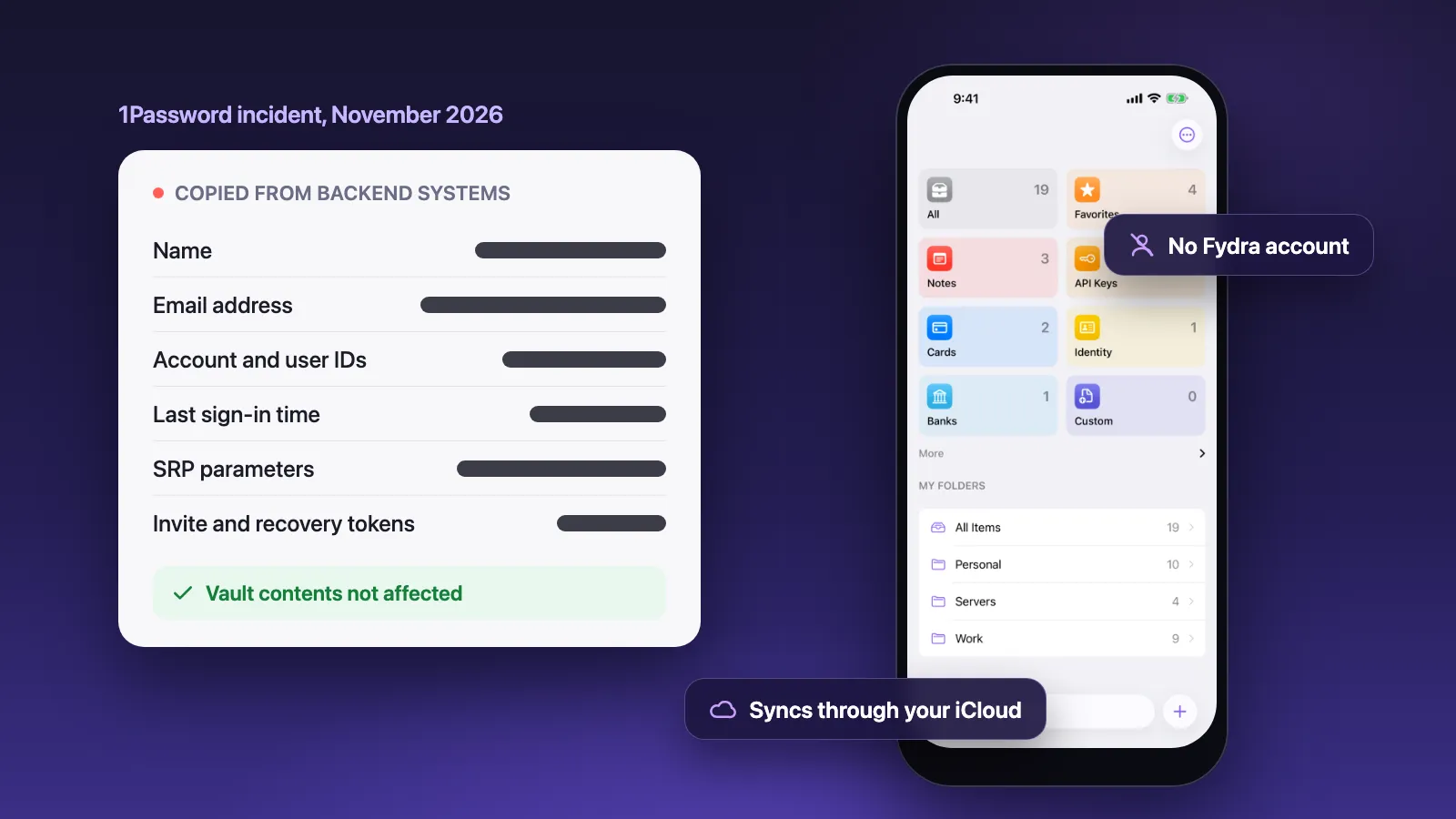
On November 25, 2026, 1Password disclosed that an attacker had been inside some of its backend systems and copied account information for a subset of its users. Vaults were not touched. No passwords, no Secret Keys and no vault items left 1Password. What did leave is the account record around the vault: names, email addresses, account identifiers, sign-in times and some emailed invitation and recovery tokens.
If you use 1Password, the short version is: you don’t need to change anything, but expect phishing aimed at you. The rest of this post covers what happened, what to watch for, and a question the incident raises: what would an attacker get if they breached the company behind your vault? With Apple Passwords and Fydra, the answer is a lot less.
A disclaimer: I make Fydra, a vault for the things Apple Passwords can’t store. 1Password handled this incident well, and I say so below.
What happened at 1Password
Everything here comes from 1Password’s own update, published November 25, 2026.
- November 19, 2026: 1Password started investigating signs that an attacker had access to an employee’s corporate GitHub account.
- From that account, the attacker reached 1Password’s source code and pushed malicious code into backend services, which then downloaded administrative data about customers.
- The attacker also copied source code from private repositories and got into 1Password’s CI/CD system, which holds infrastructure secrets. 1Password rotated every credential that may have been exposed.
- 1Password disabled the GitHub account, revoked the stolen token, removed the attacker’s access, tightened its GitHub, CI/CD and endpoint controls, and brought in independent security experts.
The post doesn’t say how the GitHub account was compromised, or how many users are in the affected subset.
What was taken, and what wasn’t
| Copied for some users | Not affected |
|---|---|
| Names and email addresses | Vault contents and items |
| Account and user identifiers | The keys that protect vaults |
| Account creation and last sign-in times | Account passwords and Secret Keys (1Password never stores them) |
| Public keys | 1Password apps and browser extensions |
| Secure Remote Password (SRP) parameters | |
| Tokens in some invitation, provisioning and recovery email links | |
| Other non-secret account metadata |
The tokens are the item to look at closely. They come from links in invitation and account recovery emails. 1Password says a token can’t open an account on its own: it also needs an SSO sign-in or a code sent to the account’s email address. As a precaution, 1Password lengthened that code from six digits to ten letters and numbers, and notified a small number of users directly.
What to do if you use 1Password
1Password says no change to your account is needed, and that matches how it’s built. Your account password and your 128-bit Secret Key are both needed to decrypt your vault, and 1Password stores neither. Even the SRP parameters that leaked can’t be used to guess your password without the Secret Key (1Password security design).
The risk that’s left is people, not cryptography. Someone now holds a list of names and email addresses of people who use a password manager, with their sign-in history. That’s good material for convincing phishing. So:
- Distrust messages about 1Password that you didn’t expect: emails, texts or calls about your account, an invitation, a recovery request or a “security check”.
- Open the 1Password app yourself instead of following a link, if a message seems to need action.
- Never give out your account password or Secret Key. 1Password says it will never ask for them.
- Report anything suspicious to 1Password at support@1password.com.
1Password’s design held up
Compare this with the LastPass breach of 2022, where attackers took copies of customer vaults themselves, and anyone with a weak master password had to assume their vault could eventually be cracked. Here the attacker was inside 1Password’s backend and still came away without a single vault item. The Secret Key, which never leaves your devices, did exactly what it was designed for.
That’s worth saying plainly, because it’s the main reason this incident is an inconvenience rather than a disaster. But it also shows the part no encryption scheme can protect: the account itself. To run a service with sign-in, sharing, invitations and recovery, a company has to keep a database of who its customers are. Everything that leaked here came from that database.
What there is to take from Apple Passwords and Fydra
So here’s the question I’d ask of any password manager after an incident like this: if someone got into the vendor’s backend tomorrow, what would they find?
Apple Passwords
Apple Passwords stores your logins, passkeys and verification codes in iCloud Keychain, which is end-to-end encrypted by default, even without Advanced Data Protection. Apple doesn’t have the keys to read it.
You still have an account, of course: your Apple Account. The difference is that you already have it. Using Apple Passwords doesn’t add another company holding your name, email address and the fact that you use a password manager.
Fydra
Fydra was built so that this list is as short as possible:
- No Fydra account. There’s no sign-up, so there’s no customer database of names and email addresses.
- No Fydra server. Your vault syncs through your own private iCloud database with CloudKit, and works with Advanced Data Protection. There’s no backend that someone could push code into.
- Encrypted on your device. Every item is encrypted with AES-256-GCM before it’s stored, with the key in your Apple Keychain.
- Purchases go through Apple. The App Store handles payment, and Fydra only learns whether a valid purchase or subscription exists.
- No analytics or third-party SDKs in the app.
The details are in the privacy policy. For an attacker, Fydra’s side holds nothing to download: no names, no email addresses, no sign-in times, no recovery tokens.
What this setup doesn’t fix
To be fair about it, three things still apply:
- Your Apple Account becomes the one key. Protect it with two-factor authentication, set up a recovery contact or recovery key, and turn on Advanced Data Protection if you can.
- Every app maker has a GitHub account. The way in here, an employee’s developer account, exists at every software company, Fydra included. What differs is what an attacker can reach from it. With no backend and no customer database, there’s no data to pull from Fydra’s side.
- Phishing doesn’t need a breach. Apple Passwords and passkeys help here: AutoFill only offers a password on the website it belongs to, so a look-alike login page gets nothing.
Should you leave 1Password over this?
Not because of this incident alone. 1Password’s encryption did its job, it was open about what happened within a week, and it strengthened the emailed codes as a precaution.
But if you were already thinking about it, after the 2026 price increase for example, this is a reasonable moment to ask whether you need an account with a password manager company at all. On iPhone, iPad and Mac, Apple Passwords covers logins, passkeys and codes for free, and Fydra covers everything else, with nothing about you stored on a server.
Switching takes one export for each:
- Logins and passkeys go to Apple Passwords. See how to export from 1Password to Apple Passwords.
- Secure notes, cards, identities, API keys and SSH keys go to Fydra, which reads 1Password’s 1PUX export directly.
- 1Password vs Apple Passwords has the full comparison and step-by-step migration, including the SSH agent.
If you rely on Windows, Linux or Android, or share vaults with a family or team, 1Password is still the better fit, and after this incident there’s no security reason to leave in a hurry.
Frequently asked questions
Were 1Password vaults stolen in the November 2026 incident?
No. 1Password says customer vaults were not affected and all vault contents remain secure. The attacker copied account information for a subset of users, such as names, email addresses, account identifiers, sign-in times and some emailed invitation and recovery tokens.
Do I need to change my 1Password password after the breach?
1Password says you do not need to update anything in your account. It never stored your account password or Secret Key, so neither was exposed. The real risk is phishing: be careful with any unexpected email, text or call about 1Password, invitations or account recovery.
How did the attacker get into 1Password?
Through an employee's corporate GitHub account. From there the attacker reached source code, pushed malicious code to backend services that downloaded customer account data, copied private repositories and got into the CI/CD system. 1Password began investigating on November 19, 2026, and published its update on November 25.
Is Apple Passwords safer than 1Password?
Not in every way. Both encrypt your passwords end to end. The difference is that Apple Passwords needs no extra account with another company, because it uses the Apple Account you already have. That makes your Apple Account the one to protect, with two-factor authentication and ideally Advanced Data Protection.
Does Fydra have servers or user accounts that could be breached?
No. Fydra has no account and runs no servers. Your vault is encrypted on your device with AES-256-GCM and syncs through your own private iCloud database. Purchases go through the App Store, and Fydra only learns whether a valid purchase exists, not who you are.