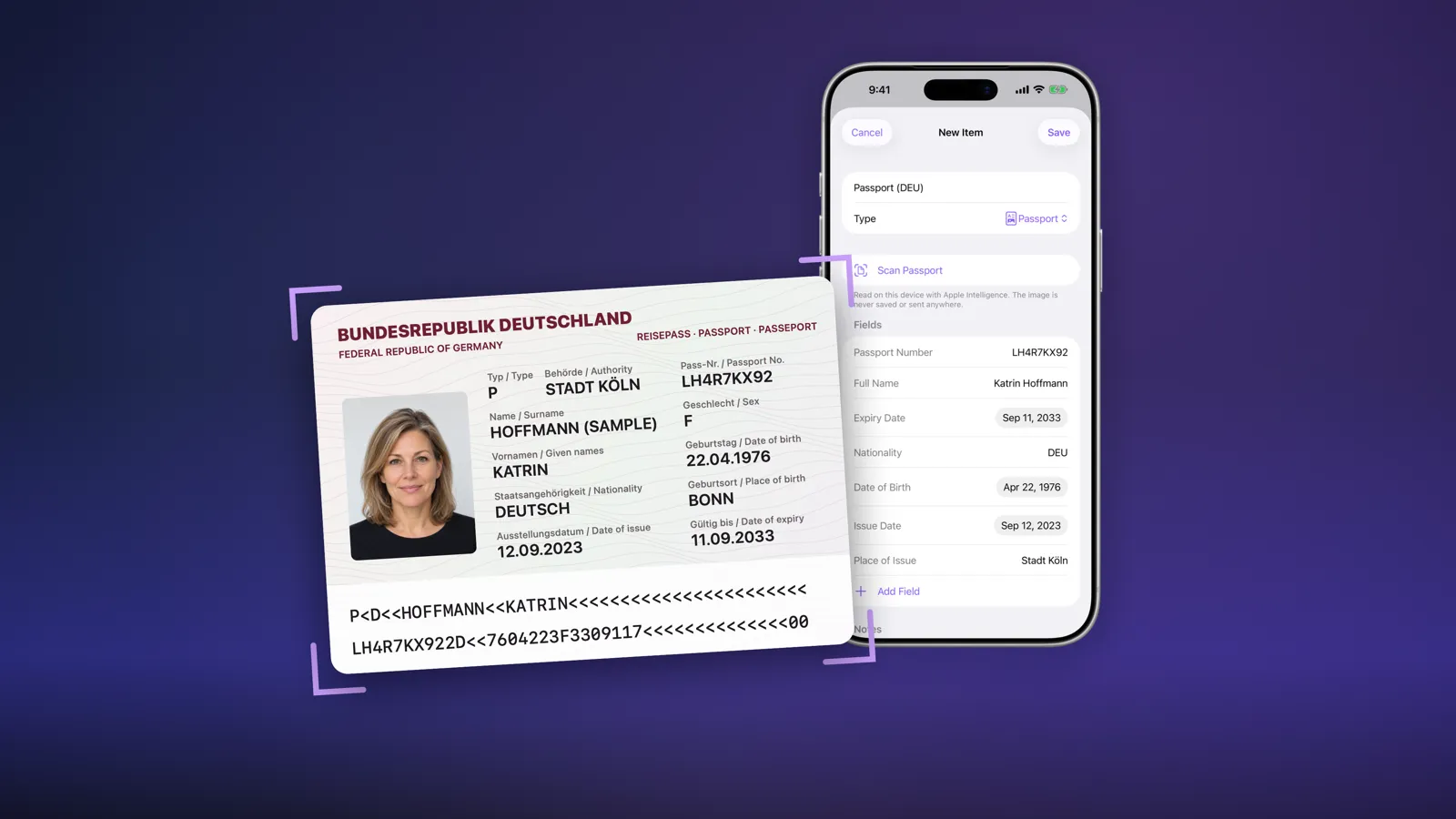
Fydra 1.3 is out for iPhone, iPad and Mac, and it stops you from typing out your documents by hand. Scan a passport, ID card, driver’s licence or payment card and Fydra fills in the fields for you. Everything is read on your device, and on iOS 27, iPadOS 27 and macOS 27 Fydra uses Apple Intelligence to read even more.
Update or download Fydra on the App Store. It’s a free update.
What’s new in Fydra 1.3
- Scan to fill for passports, ID cards, driver’s licences and payment cards, with the camera on iPhone and iPad, or a photo on Mac.
- Apple Intelligence on iOS 27, iPadOS 27 and macOS 27 reads extra details such as the place of issue, issue date and address.
- Private by design: the image never leaves your device and is never saved.
- Add from a category: tap + inside Cards, Passports or any other category and the new item starts with the right fields.
- Tidier items: the most important fields come first, and empty fields stay out of the way.
- Numbers shown as printed: card, account, passport and licence numbers are visible, while security codes, PINs, keys and secrets stay hidden.
- Copy confirmation: a checkmark tells you a field is on the clipboard.
Scan a passport or ID card on iPhone and iPad
Typing a passport into a vault is slow and easy to get wrong: a long document number, two dates, a nationality code. With Fydra 1.3 it takes a few seconds.
- Tap + and choose Passport, Identity or Driver’s Licence.
- Tap Scan Passport, Scan ID Card or Scan Driver’s Licence.
- Hold the document in front of the camera. Fydra captures it like the built-in document scanner.
- Check the filled-in fields and tap Save.
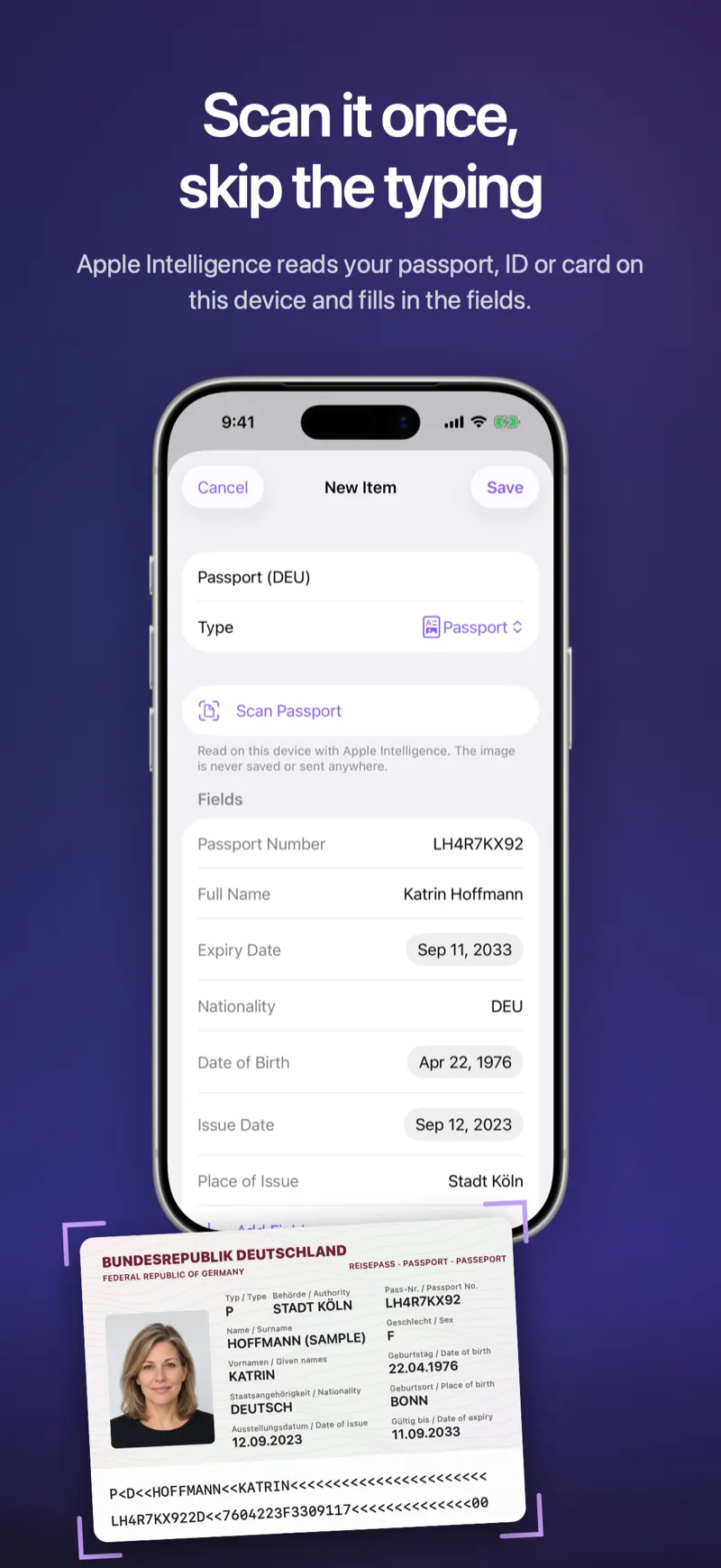
Fydra reads the machine-readable zone (the two or three lines of
<<< characters at the bottom of a passport or ID card) and checks every
value against its built-in check digits. That’s why the passport number,
name, nationality, date of birth and expiry date come out right, even from a
quick photo. A misread line fails the check and is thrown away instead of
filling in wrong values.
Scan a payment card
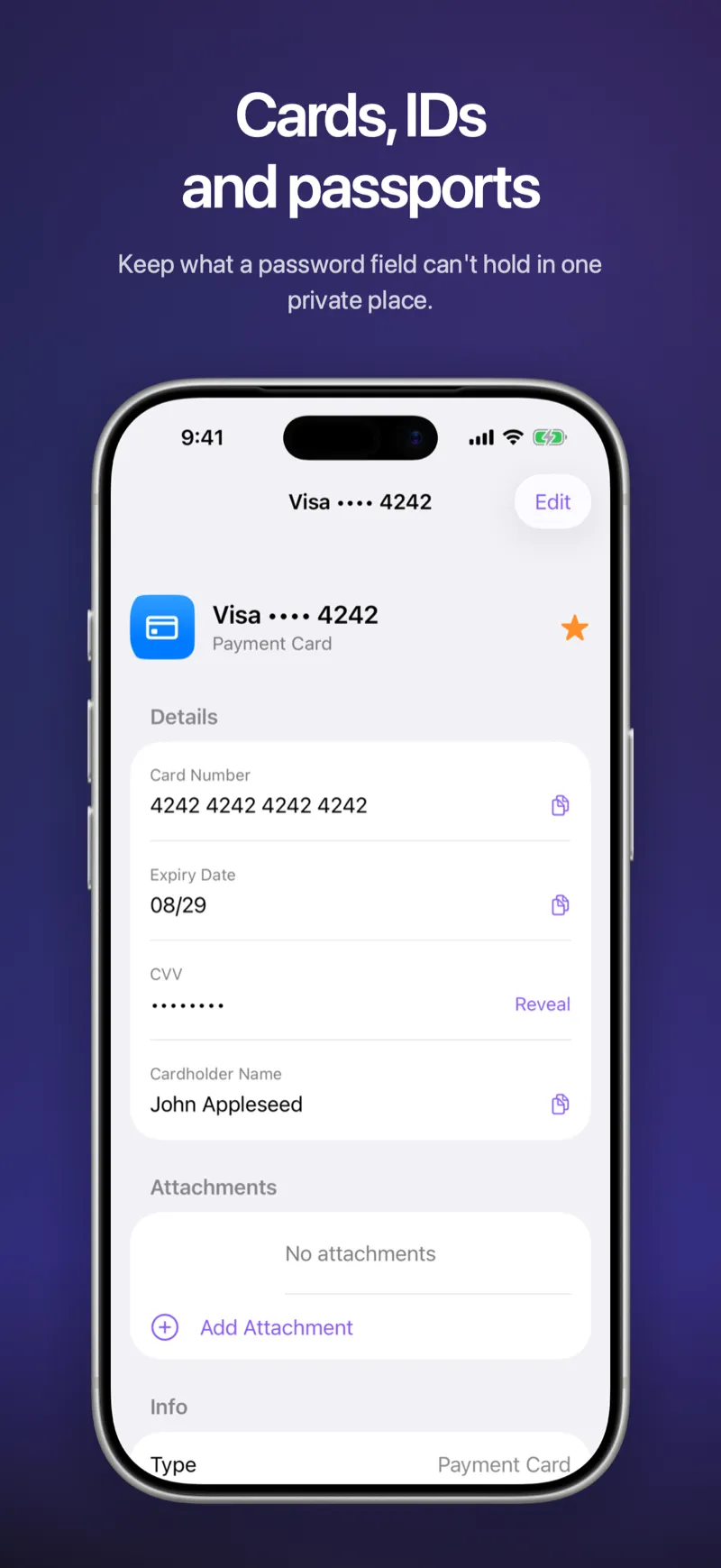
Choose Payment Card, tap Scan Card, and Fydra reads the card number and expiry date. With Apple Intelligence it also reads the cardholder name. The number is validated with the same checksum banks use, so a misread digit is caught before it reaches your vault.
Fydra never reads the CVV or PIN. If you want them in your vault, you type them in yourself, and they stay hidden until you tap Reveal.
Scan documents on Mac
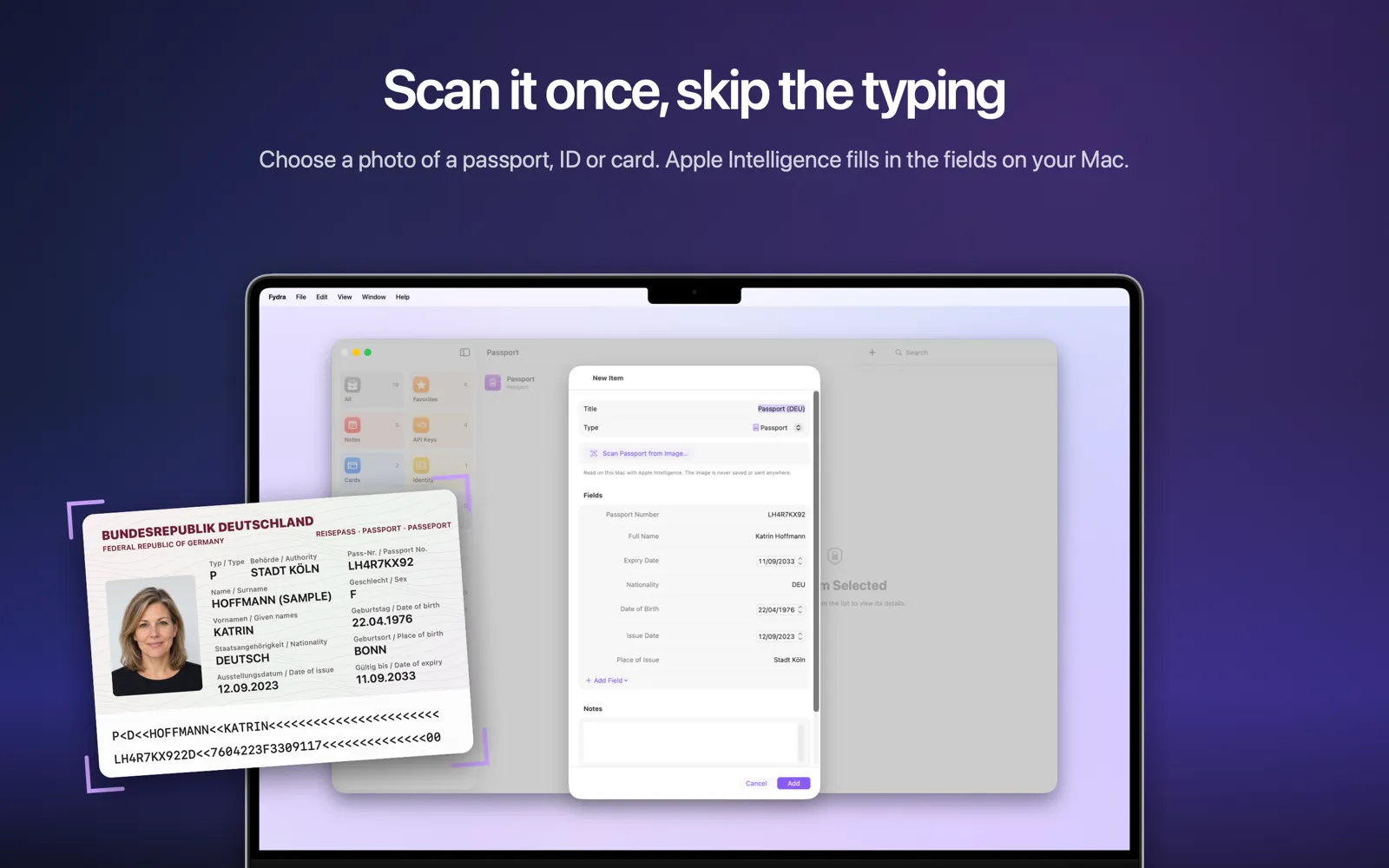
Macs don’t have a document camera, so Fydra on Mac works from a picture. In the new item window, choose Scan Passport from Image (or Scan ID Card, Scan Card) and pick a photo or scan of the document, for example one you just took with your iPhone and sent with AirDrop. Fydra fills in the fields exactly as it does on iPhone.
How Fydra uses Apple Intelligence on iOS 27 and macOS 27
iOS 27, iPadOS 27 and macOS 27 give apps access to the on-device model behind Apple Intelligence, and this year that model can look at images as well as text. Apple describes it in its What’s new in iOS 27 overview for developers.
Fydra uses it for the parts of a document that have no machine-readable code:
- the place of issue and issue date on passports and ID cards,
- the address on ID cards and licences,
- the cardholder name on payment cards,
- and driver’s licences, which have no machine-readable zone at all.
Two rules keep this trustworthy:
- Checked values always win. Anything Fydra can verify (the machine-readable zone of a passport, or a card number’s checksum) overrides what the model suggests.
- Only the on-device model. Fydra never uses Private Cloud Compute or any other cloud model for scanning. The image is read on your iPhone, iPad or Mac and goes nowhere else.
Apple Intelligence needs a supported device, such as iPhone 15 Pro, any iPhone 16 model or later, or an iPad or Mac with M1 or later, with Apple Intelligence turned on. On other devices, and on iOS 17 to 26 or macOS 14 to 26, scanning still works for passports, ID cards and payment cards from the machine-readable lines and the card number. The licence scan button only appears when Apple Intelligence is available.
iOS 27, Apple Passwords and the things it doesn’t store
iOS 27 makes Apple’s own Passwords app smarter too. Apple says Passwords can alert you to weak or compromised passwords and update them on your behalf, a feature it lists as coming in a future software update.
That makes Apple Passwords an even better home for logins. But a passport, a driver’s licence or the card you pay with still isn’t a login, and that’s exactly the gap Fydra fills. Keep logins, passkeys and verification codes in Apple Passwords, and everything else in Fydra. If you’re new here, Introducing Fydra explains the idea.
Private by design: your scans stay on your device
Scanning a passport is only useful if you can trust where the image goes. In Fydra, the answer is nowhere:
- The image is read on your device and used only to fill in the fields.
- It is never saved, never logged and never sent anywhere. Cancel the scan and nothing is kept.
- CVV and PIN are never read, from any card.
- Fydra still collects no data, so the App Store privacy label stays Data Not Collected.
What you save is encrypted with AES-256-GCM on your device before it’s stored, and synced only through your own iCloud. The privacy policy has a section on document scanning with the full details.
Add items from inside a category
When you’re looking at your Cards, Passports or Banks and tap +, the new item now starts with that category’s fields. No more choosing the type a second time. This works in the category lists on iPhone and iPad and in the sidebar on Mac.
Tidier items, clearer numbers, and a copy checkmark
Fydra 1.3 also reorganizes how items look:
- Most important fields first. The card number, IBAN or passport number sits at the top, where you look for it.
- Empty fields are hidden when you view an item, and come back when you tap Edit.
- Numbers shown as printed. Card, bank account, passport, licence and ID numbers are visible, since they’re printed on the card or document anyway. CVVs, PINs, API keys, private keys, secrets and note contents stay hidden until you reveal them.
- A checkmark when you copy. Every copy button briefly turns into a green checkmark, with a gentle haptic on iPhone.
Items you saved with earlier versions are shown in the new order automatically. Nothing is lost.
Fixes
- Long field names such as “Passport Number” are no longer cut off on iPhone or out of line on Mac.
- The Scan button now opens the camera on the first tap.
Availability
Fydra 1.3 is a free update on the App Store for iPhone, iPad and Mac, and it still runs on iOS 17 and macOS 14 or later. Fydra is free for up to 10 items, scanning included. Fydra Pro unlocks unlimited items and the SSH agent for Mac.
Questions or feedback? The support page covers the common ones, or email us at support@fydra.app.
Frequently asked questions
How do I scan my passport into Fydra on iPhone?
Tap + to add an item, choose Passport, then tap Scan Passport. Hold the photo page in front of the camera and Fydra fills in the passport number, name, nationality, date of birth and expiry date. Check the fields, then tap Save.
Does Fydra upload or keep the image of my passport or card?
No. The image is read on your device, used only to fill in the fields, and then discarded. It is never saved, never sent anywhere, and never used for anything else. Fydra does not use Private Cloud Compute or any cloud service for scanning.
Do I need iOS 27 and Apple Intelligence to scan documents?
No. On any supported version, Fydra reads the machine-readable lines of passports and ID cards and the number and expiry date of payment cards. On iOS 27, iPadOS 27 and macOS 27 with Apple Intelligence turned on, it also reads details such as the place of issue, the issue date and the address, and it can scan driver's licences.
Can I scan documents on a Mac?
Yes. In the new item window, choose Scan Passport from Image (or Scan ID Card, Scan Card) and pick a photo or scan of the document, for example one you took with your iPhone. Fydra fills in the fields the same way it does on iPhone.
Does Fydra read my card's security code or PIN?
No. Fydra never reads the CVV or PIN from a scan. Security codes, PINs, keys and secrets stay hidden in your vault until you choose to reveal them.
Is Fydra 1.3 a free update?
Yes. Fydra 1.3 is a free update for everyone, and scanning works in the free version too, which holds up to 10 items. Fydra Pro unlocks unlimited items and the SSH agent on Mac.